Create views
Create Views
A view in Amazon Athena is a logical, not a physical table. The query that defines a view runs each time the view is referenced in a query. You can create a view from a SELECT query and then reference this view in future queries.
For more information, see CREATE VIEW.
Creating a Customer Lifetime Value View
We are now going to create a new Customer Lifetime Value view in Athena.
Steps:
-
Navigate back to the Query editor.
-
Click the + icon to add a new tab.
-
Copy and paste the query below into the query editor:
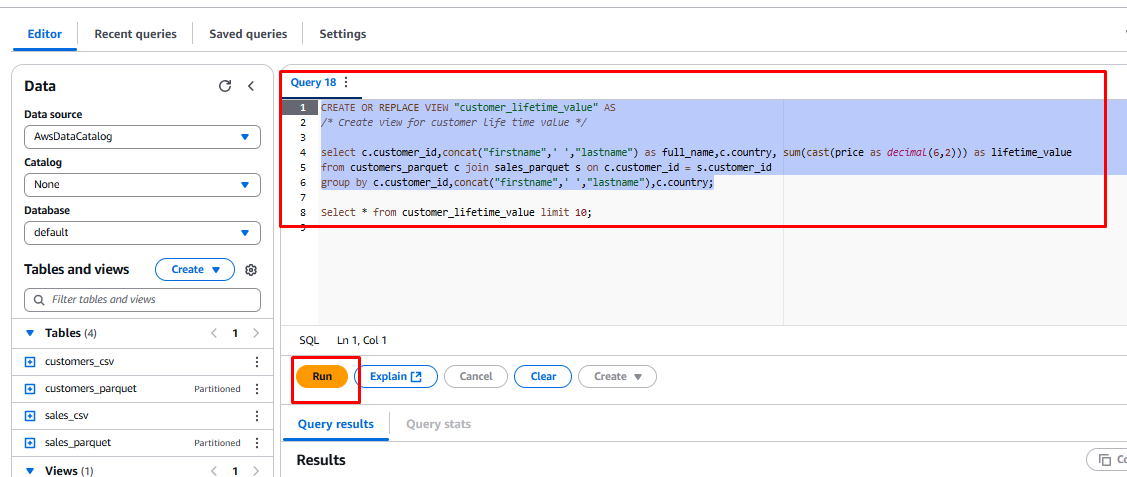
CREATE OR REPLACE VIEW "customer_lifetime_value" AS /* Create view for customer life time value */ select c.customer_id,concat("firstname",' ',"lastname") as full_name,c.country, sum(cast(price as decimal(6,2))) as lifetime_value from customers_parquet c join sales_parquet s on c.customer_id = s.customer_id group by c.customer_id,concat("firstname",' ',"lastname"),c.country; Select * from customer_lifetime_value limit 10; -
The query has two parts:
- The first part creates the customer lifetime value view.
- The second part selects data from the view.
-
Highlight the first query and click the Run button. This will create a new view called
customer_lifetime_value.
-
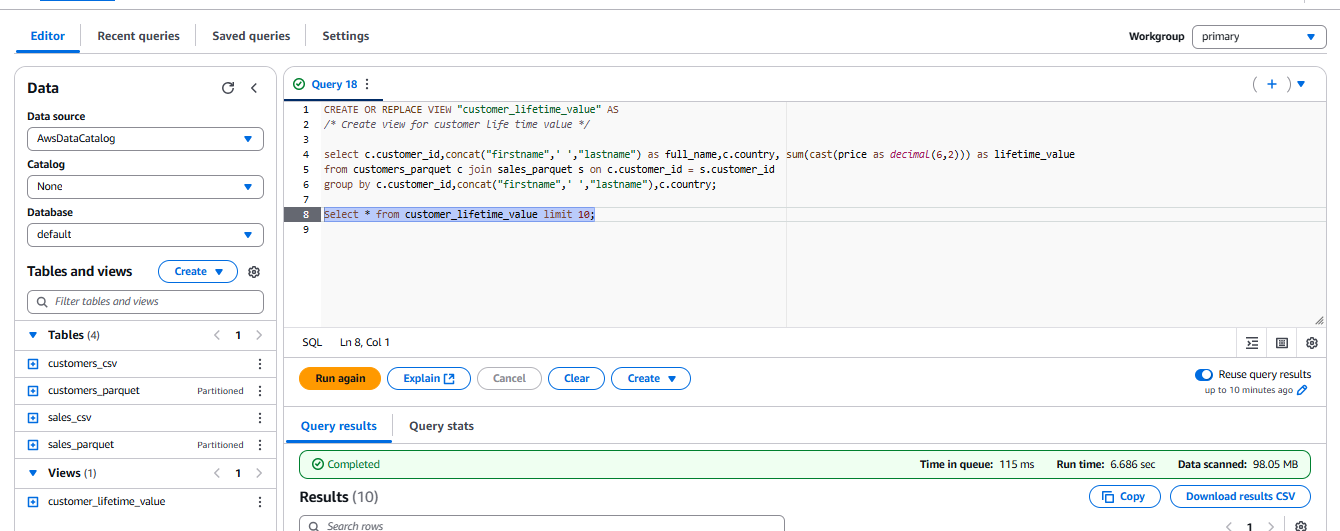
Once the view is created, it will appear under Views in the resource navigator.

-
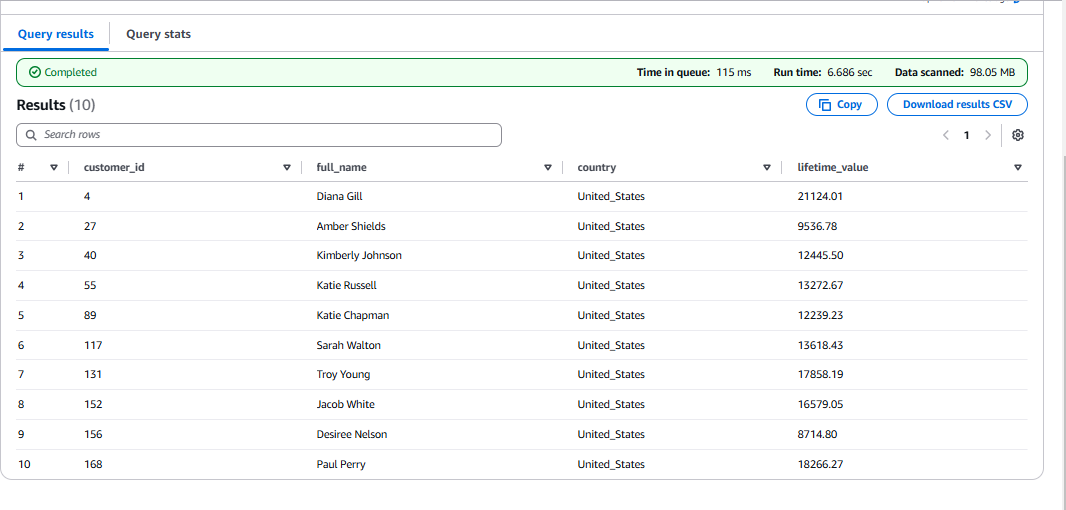
Select the second query and click the Run button to select the first 10 records from the view.
Conclusion
You have now successfully used Amazon Athena to create a view in your AWS Glue Data Catalog.