Query Results Re-Use
When you re-run a query in Athena, you can optionally choose to reuse the last stored query result. This option can increase performance and reduce costs in terms of the number of bytes scanned.
Reusing query results is useful if you know that the results will not change within a given time frame. You can specify a maximum age for reusing query results. Athena will use the stored result as long as it is not older than the specified age.
Verify the Reuse Query Results Feature
- Open the Athena console by typing
Athenain the search bar at the top of the screen. - Select Athena from the search results.
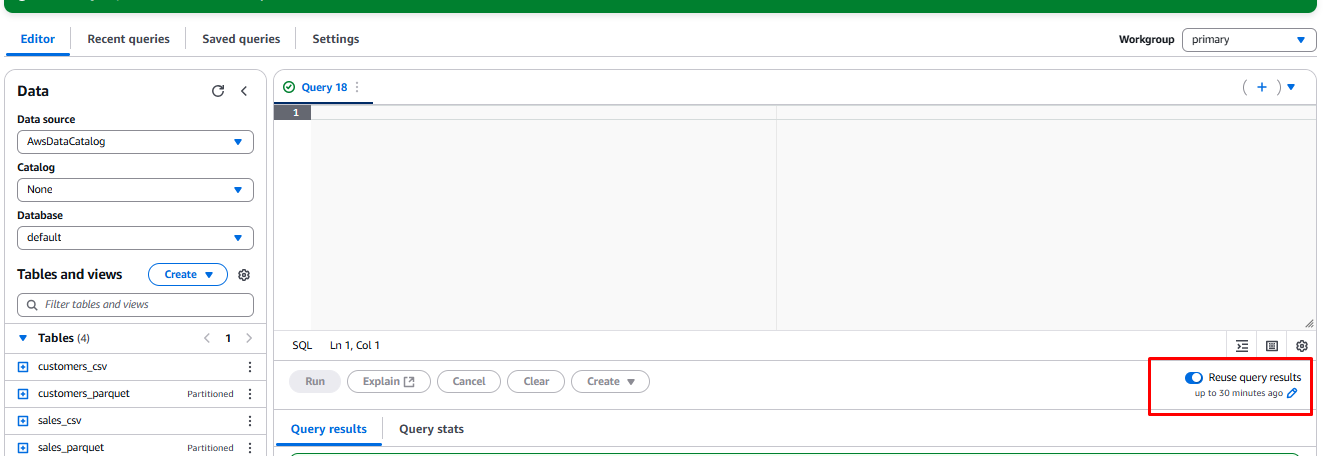
- Check if the Reuse query results option is already enabled:
- Click the Reuse query results toggle button.
- If it is enabled, skip to the Testing the reuse query results feature section.
- Otherwise, complete the following steps to enable the feature.
Enable Query Results Reuse
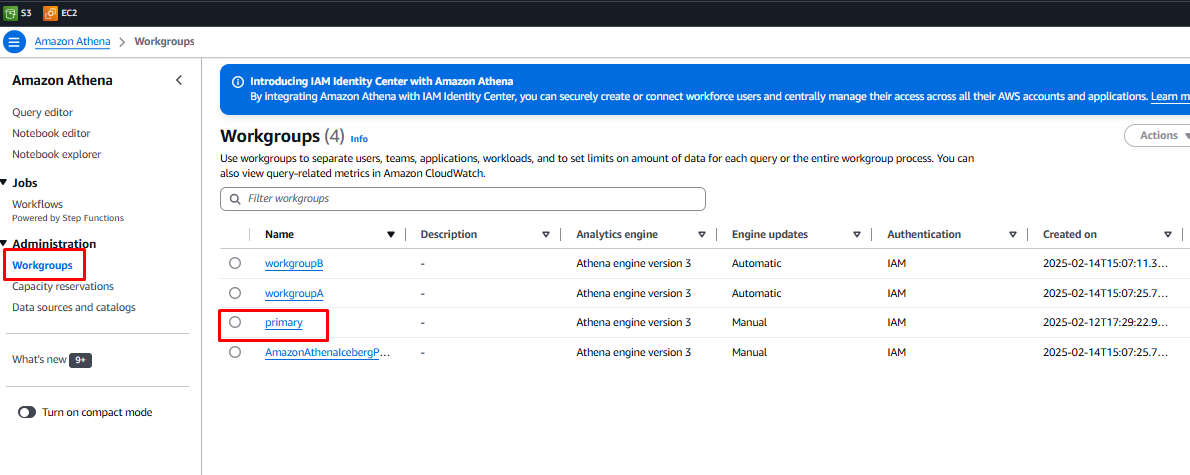
- Select Workgroups under the Administration menu on the left sidebar.
- Click on the primary workgroup from the list of workgroups.
- Click the Edit button in the top-right corner to edit the workgroup settings.

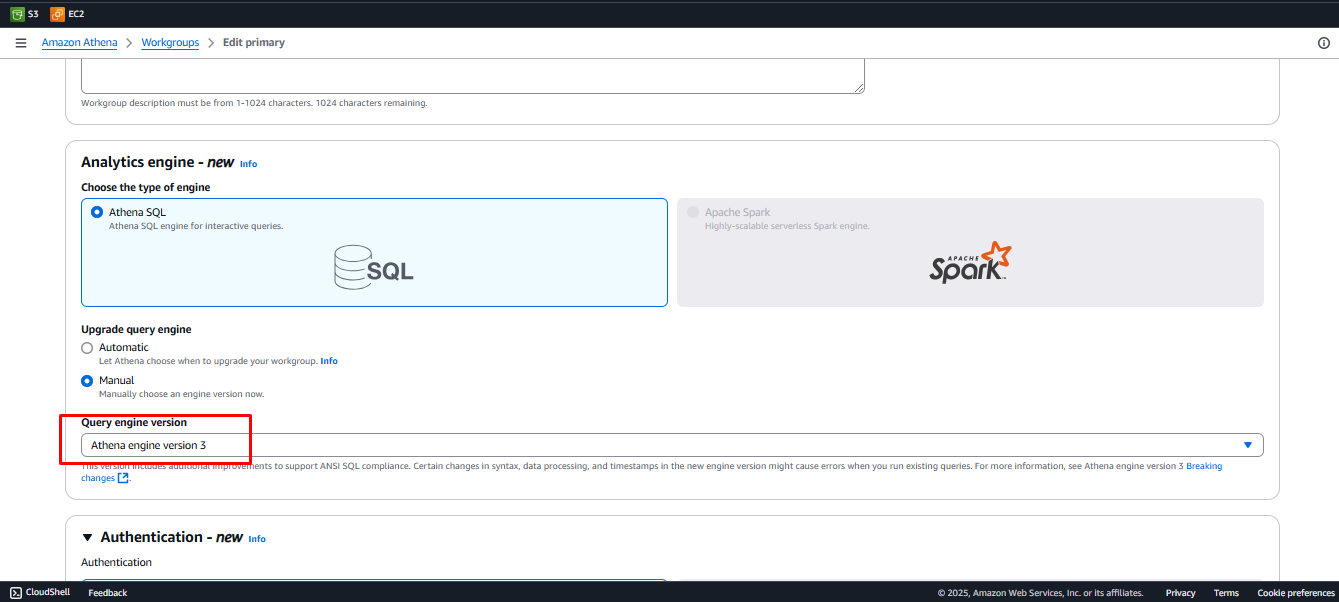
- In the Upgrade Query Engine section:
- Click the Manual radio button.
- Select Athena engine version 3 from the Query engine version dropdown.
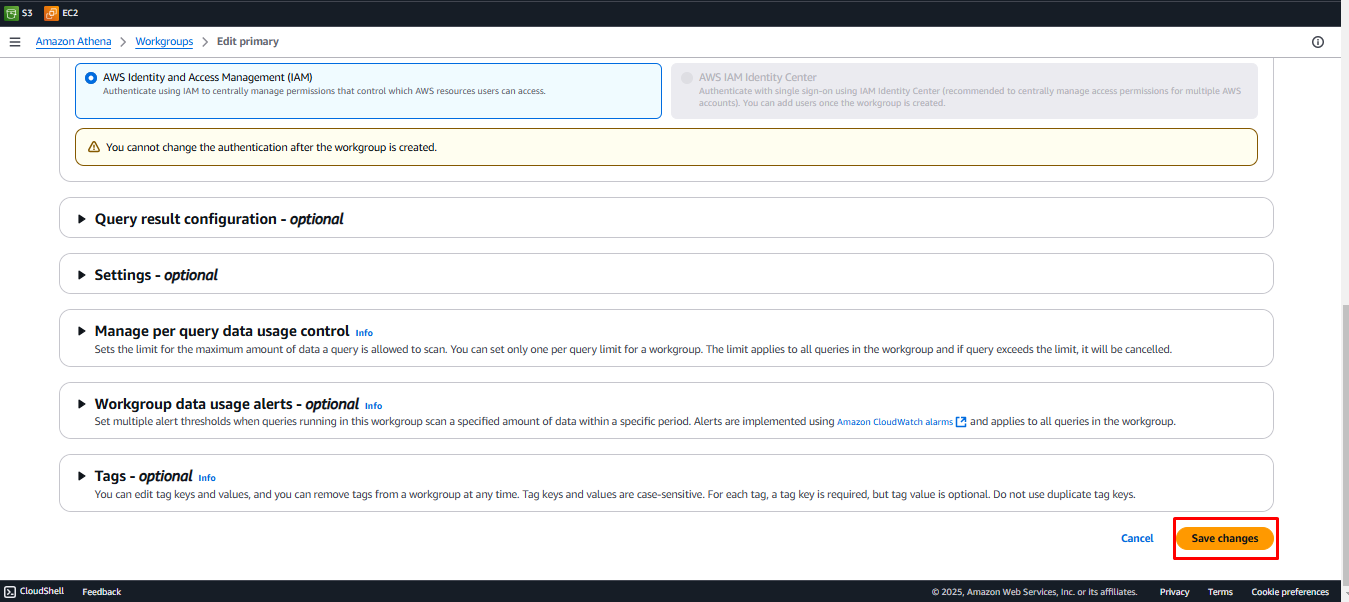
- Click the Save Changes button in the bottom-right corner.
Testing the Reuse Query Results Feature
Steps:
-
Navigate back to the Query editor.
-
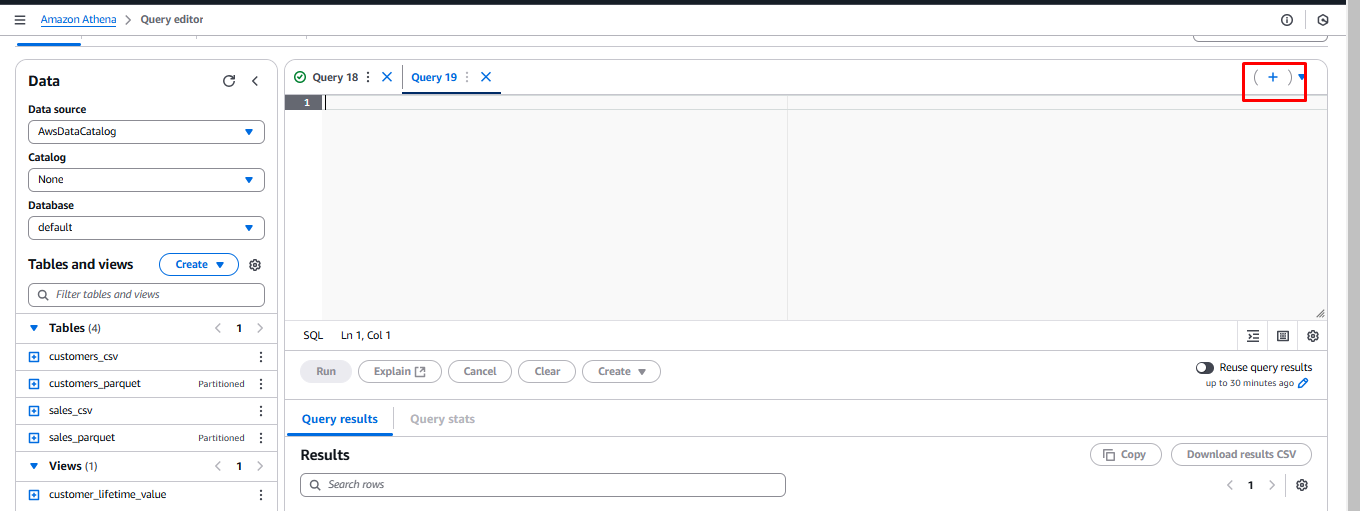
Click the + icon to add a new tab.
-
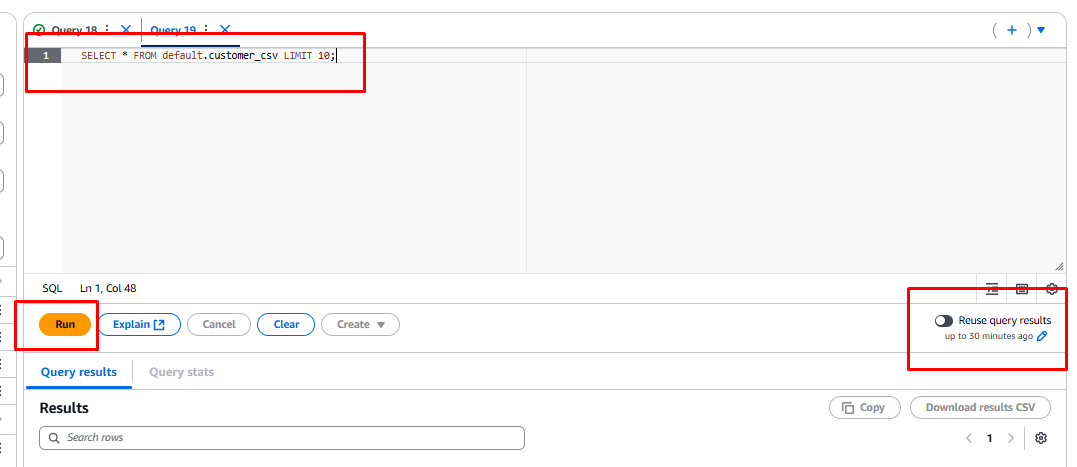
Copy and paste the query below into the query editor:
SELECT * FROM default.customers_csv LIMIT 10; -
Click the Reuse query results toggle to the off position.
-
Click the Run button.
-
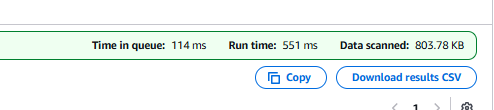
Note down the Run time and Data scanned values.
-
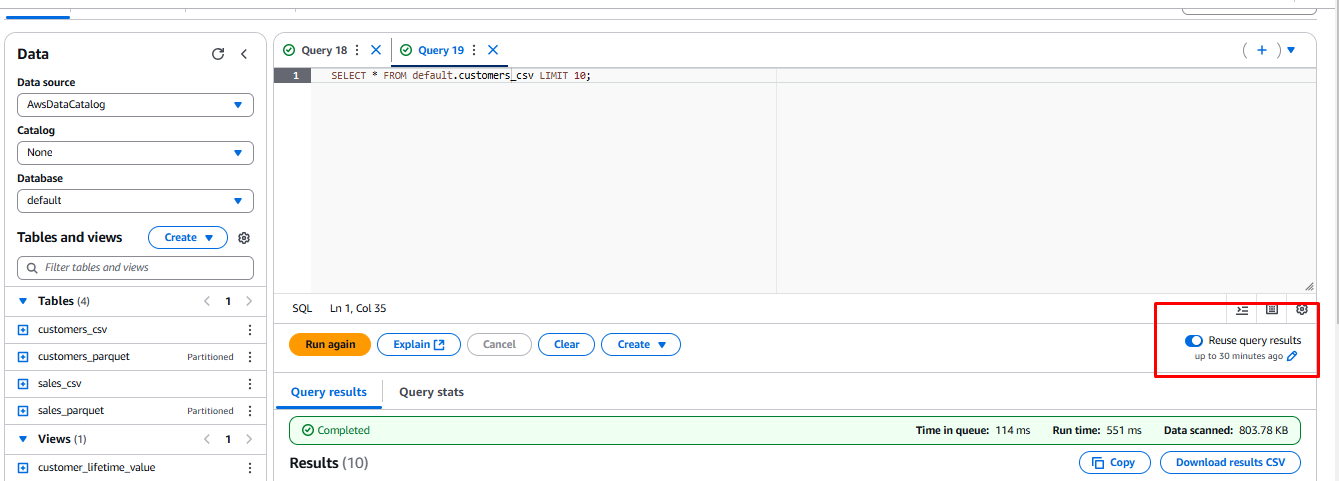
Click the Reuse query results toggle to turn it on.
-
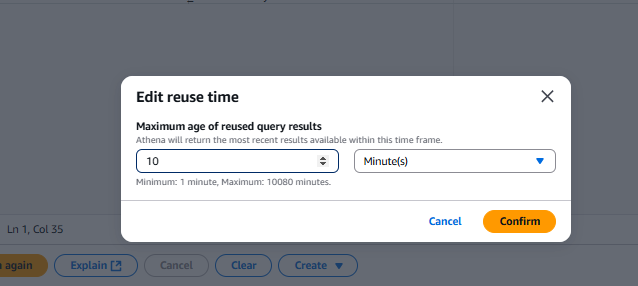
Click the edit icon (pencil) under Reuse query results.
-
Set the reuse time to 10 minutes, then click Confirm.
-
Re-run the query by clicking Run again.
-
Compare the Run time and Data scanned values with the original run.
-
Go to the Recent Queries tab in the query editor.
-
Check the Cache column to see the Result reuse value added to the execution.
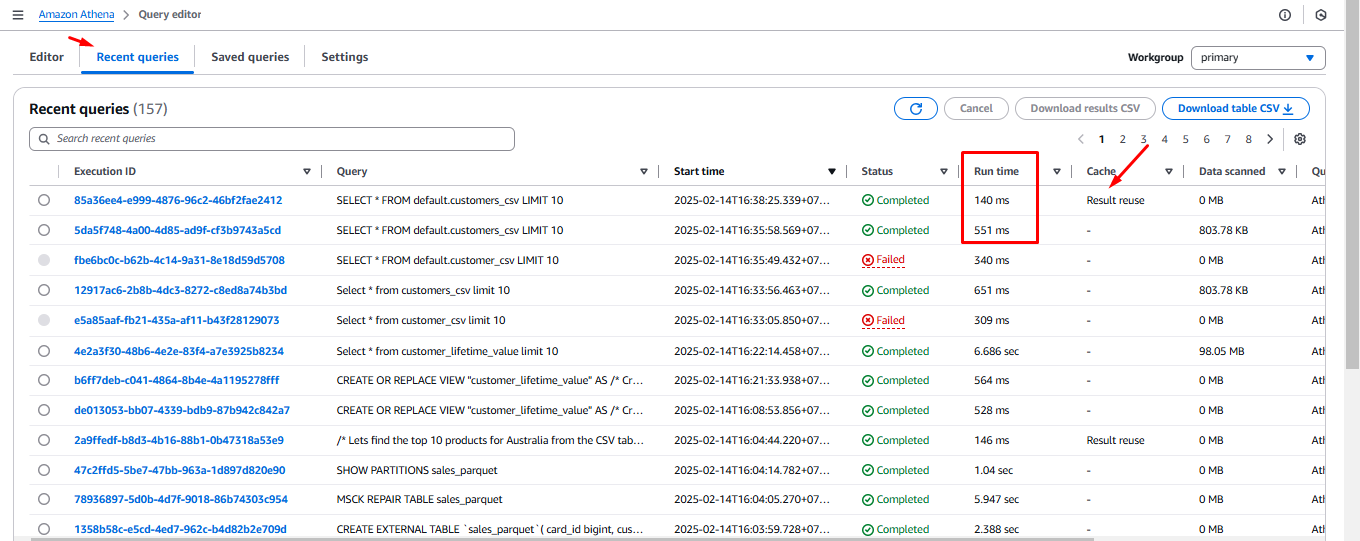
Note: You may need to scroll across to find the Cache column.
- Re-run the query with different reuse time’s and verify the behaviour. For example change the reuse time from 30 minutes to 1 minute using the
You have now successfully explored the query results reuse feature in Amazon Athena.