Query Results and History
Amazon Athena automatically stores query results and metadata in an Amazon S3 location that you can specify. These results can be accessed, downloaded, and reviewed in the Athena console.
Viewing Query History
- Click on Recent Queries in the Athena console.
- View all queries submitted in this workgroup, including their State, Run Time, and Data Scanned.
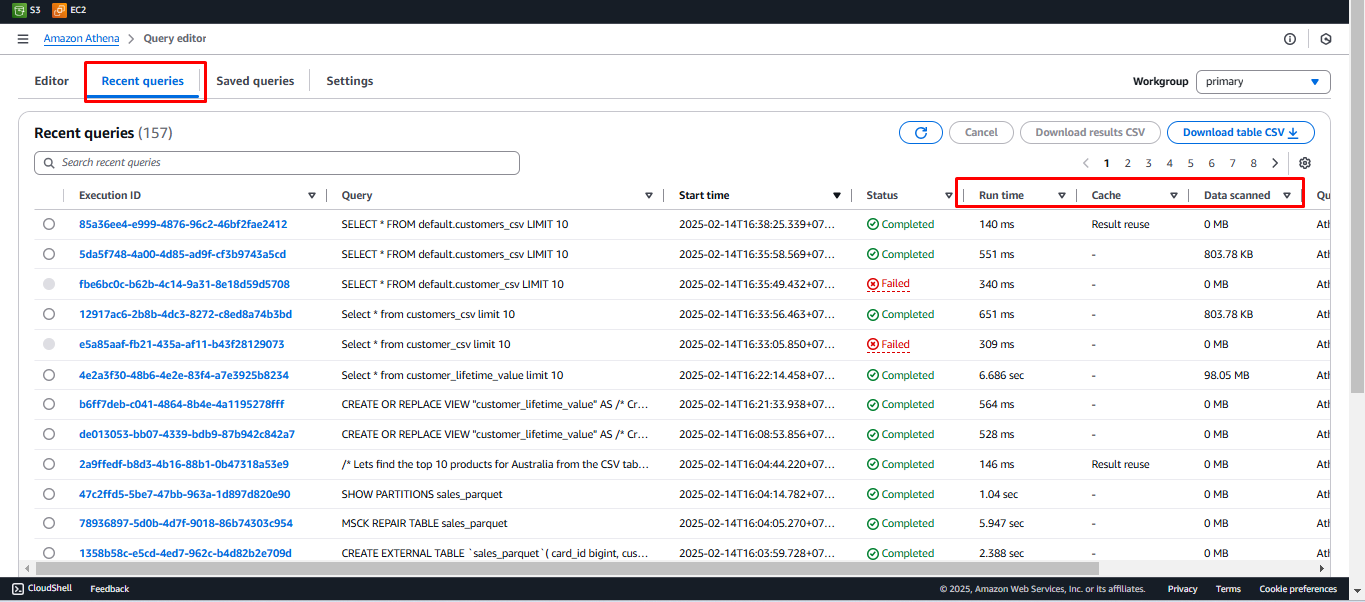
- Select a Query ID and click Download results to download the query output as a CSV file.
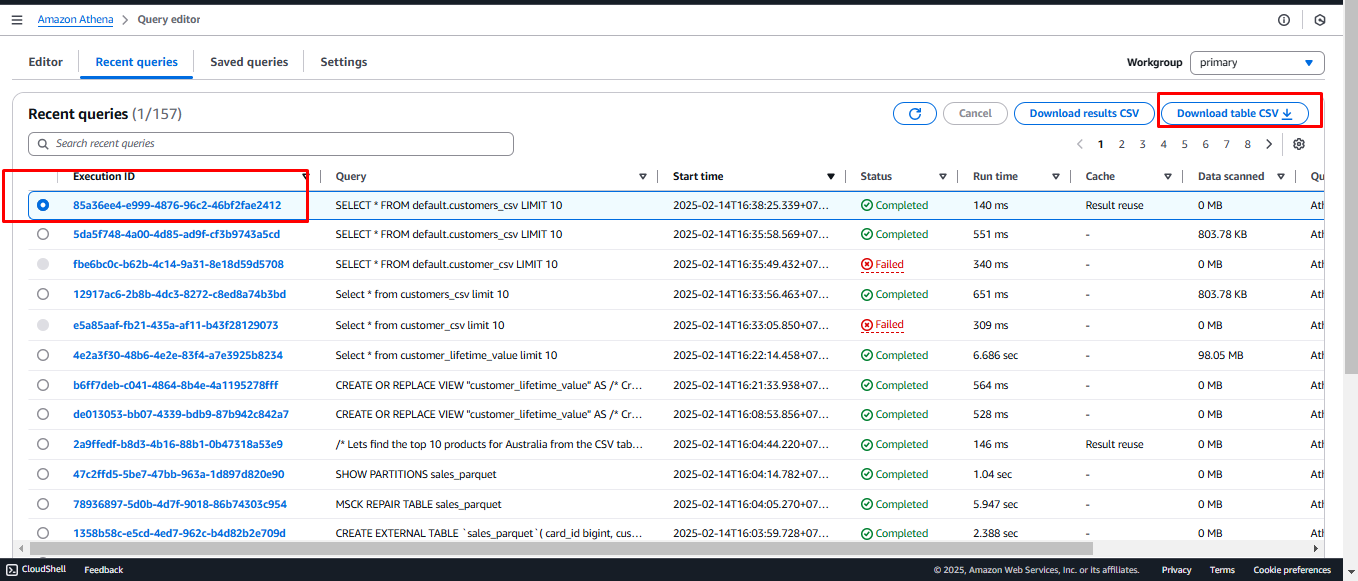
Locating Query Results in S3
- In the AWS Search Bar, type S3, then select S3 from the search results.

- Locate the bucket named athena-workshop-[your AWS account number]
- Example:
athena-workshop-12345678910
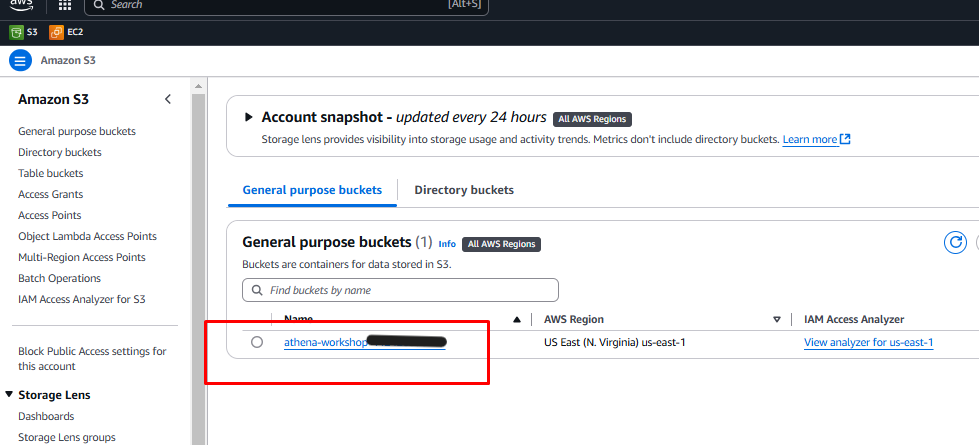
- Example:
- Click on the bucket name to open it.
Understanding the Query Results Storage
- The S3 bucket will contain:
- A prefix for each saved query that has been run.
- An Unsaved folder storing results from unsaved queries.
- Note: If you don’t see the Unsaved folder, copy a previous query into a new query tab, run it, and then check the S3 bucket again.
Navigating Query Results
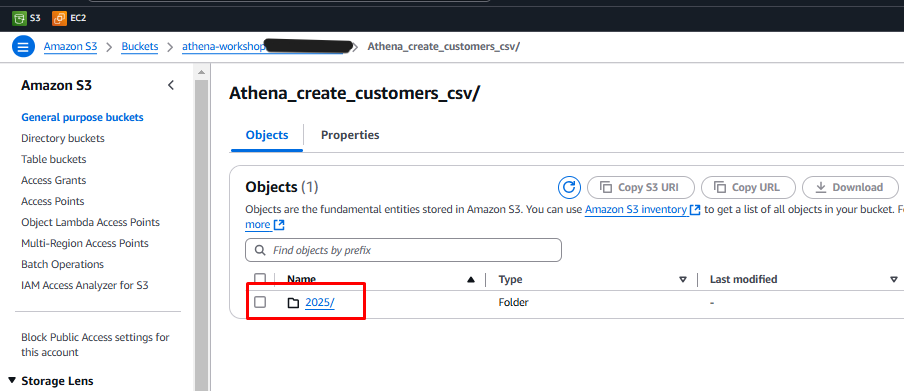
- Click on the Athena_create_coustomer_csv prefix.
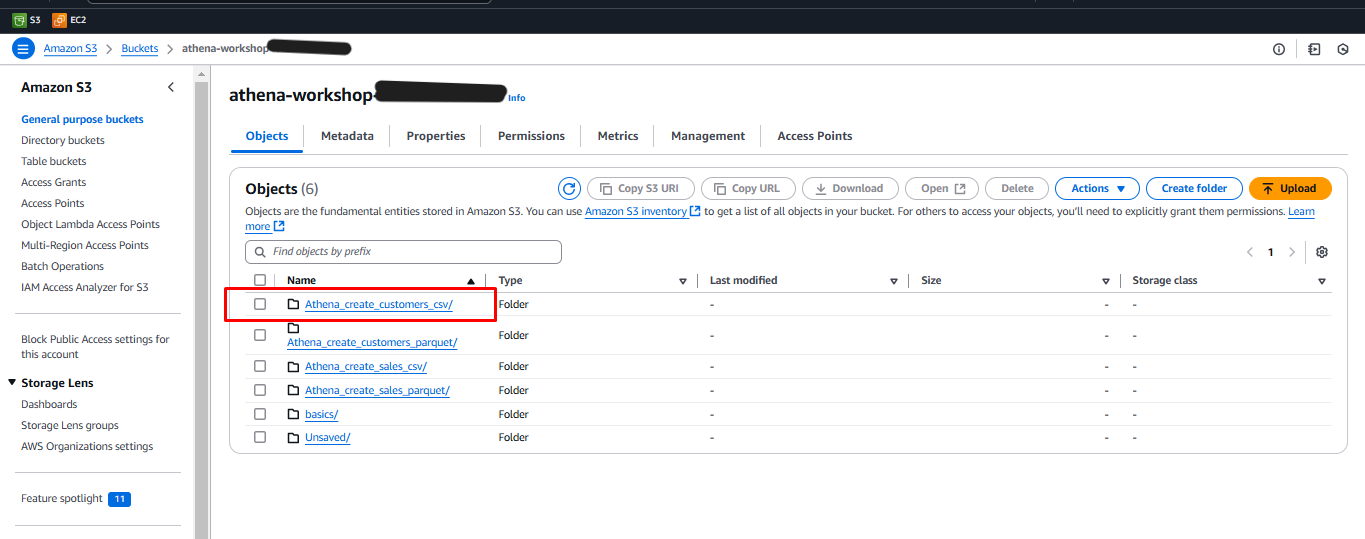
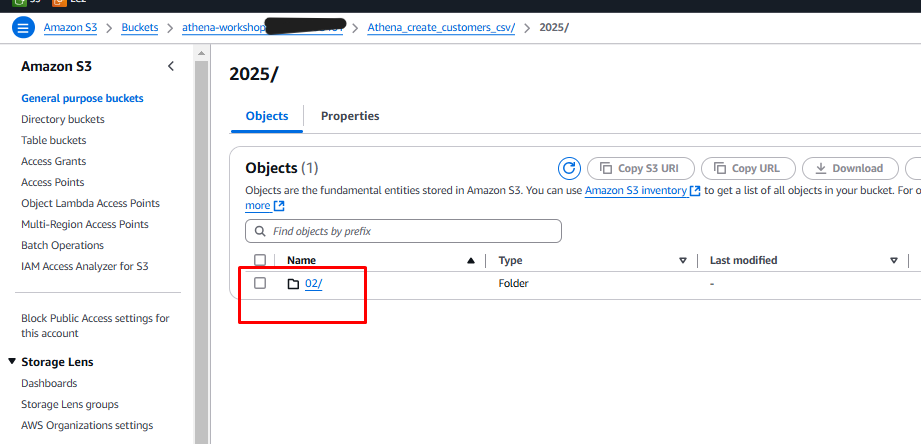
- Click through the Year, Month, and Day prefixes.
- Year
- Month
- Day
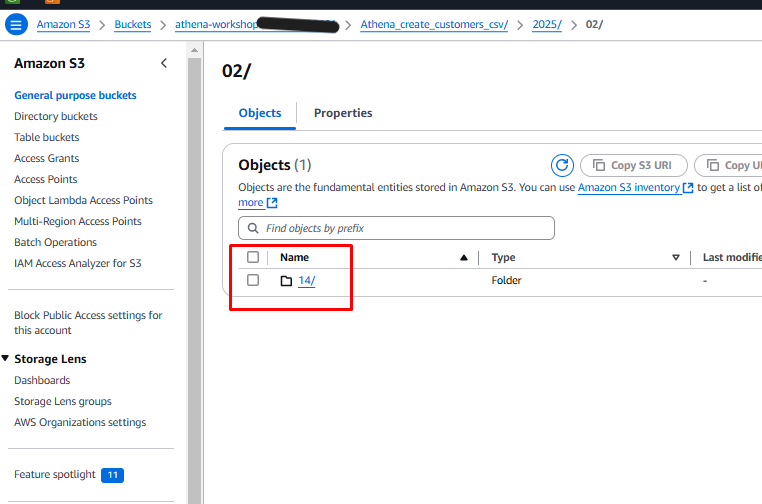
- The results will be stored with a unique Query ID.
